
Key Takeaways
This guide helps you set up and maintain a high-quality streaming library using media player software. It covers installation, account configuration, network tuning, and common fix strategies.
- IPTV Smarters Pro centralises your streaming content into one manageable interface.
- The application requires a provider subscription to function correctly.
- Performance relies heavily on network stability and device cache management.
- Users can enhance security by implementing parental controls and using built-in settings.
- Periodic updates help maintain compatibility with evolving streaming standards.
Understanding IPTV Smarters Pro
What is IPTV Smarters Pro?
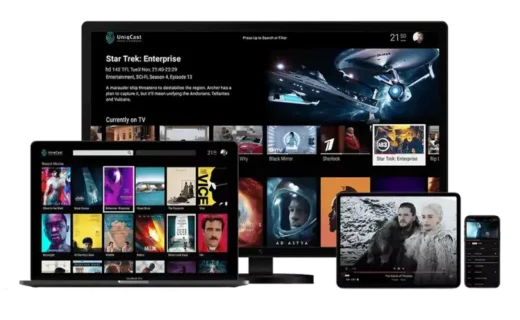
IPTV Smarters Pro acts as a sophisticated media player designed to index and play content from IPTV subscriptions. Unlike a content provider, it does not supply movies or channels itself. You simply input your credentials from a reputable source like the professional services at TVWILL IPTV UK to assemble your personal digital library. The application organizes live television, video-on-demand assets, and series into a user-friendly hub. Understanding how to manage your content through Internet Protocol Television technology provides you with far greater flexibility than traditional cable schedules.
Core features and functionalities
This software supports various streaming formats including M3U playlist integration and Xtream Codes API connections. It includes standard features such as electronic program guides, catch-up TV support, and subtitle management. The interface is built to accommodate multiple user profiles, which helps households keep watchlists and history separated. These features allow you to build a structured media environment tailored to your household preferences.
Compatibility with streaming devices
Reliability is key when choosing where to run your player. The application is natively compatible with Android-based hardware, Fire devices, and various mobile ecosystems. For those who want to see how to get started on these platforms without friction, the Installation Guide covers the technical requirements for most common living room setups. Ensure your hardware has enough system memory to manage large playlist files, as high-definition streaming demands a steady resource allocation.
Important legal and security considerations
The software itself is tool-based, but how you use it remains your responsibility. It is essential to ensure your streaming activities comply with local copyright regulations and service terms. Managing your account details securely prevents unauthorized access to your subsciption parameters. By avoiding the sharing of private login credentials, you maintain the integrity of your personal connection and privacy.
How to install IPTV Smarters Pro

Installation on Android TV and mobile
You can typically find the official version within your device’s primary app store by searching for the application title. Once located, click install, and the software will handle the deployment of the necessary runtime files automatically. After installation, launch the application to reach the initial set-up screen where you will provide your provider details. Using official store sources is the most direct way to ensure your app stays current with security patches.
Sideloading via Downloader on FireStick
FireStick devices often require a secondary utility such as Downloader to access apps not found in the standard store. Input the direct URL for the application’s clean installation package to trigger the process. Once the download finishes, confirm the installation request in your system’s settings menus. This method ensures that your device maintains the specific compatibility required for high-resolution navigation.
Downloading on iOS and Apple TV
Apple users can search the App Store directly for IPTV Smarters Player PRO to manage their media content properly. Because of the Apple ecosystem’s strict requirements, the process is streamlined and generally finishes in minutes. After the app is installed, you can configure your playlists using the management settings found within the main dashboard. This environment provides a smooth experience for users prioritizing device performance and visual consistency.
Setting up on Windows and macOS
Desktop users often require an emulator or a compatible web-based client to ensure the software runs correctly. Ensure your machine meets the minimum system requirements for memory and network speed, as streaming from a desktop requires enough bandwidth to maintain steady 4K quality. Follow the specific instructions provided by your TVWILL IPTV UK source to link your workstation effectively to the service.
Configuring your IPTV service
Adding playlists via M3U URLs
To link your content, you must navigate to the playlist management section and select the M3U option. Paste the unique URL provided by your subscription service into the designated field. The following table highlights why various methods function differently depending on your preferred organization style:
| Feature | M3U URL | Xtream Codes | Local File |
|---|---|---|---|
| Speed | Medium | Fastest | Instant |
| EPG Sync | Manual | Automated | None |
| Updates | Dynamic | Real-time | Static |
Setting up Xtream Codes API
Most users prefer the Xtream Codes API method because it simplifies the synchronization of the channel list and program guide data. Input your username, password, and the specific server address into the fields exactly as displayed in your subscription confirmation. This automated handshake ensures that when your provider adds a new series or movie, it appears in your interface without your manual intervention. Using this method is the recommended approach for stability as it reduces the likelihood of manual entry errors.
Customising the interface and layout
You can modify how your content appears by adjusting the grid settings or list styles within the display sub-menu. Experimenting with different themes allows you to tailor the viewing experience to your personal aesthetic preferences. Keep in mind that some complex layouts take longer to load if you have an extensive library. It is usually best to keep your most-watched categories at the top of the menu for rapid navigation.
Managing multiple subscriber profiles
Create unique profiles for each family member to ensure a personalized experience for everyone. This functionality allows you to curate specific watchlists and maintain independent viewing histories. You can assign different preferences to each profile, making the software feel modular and well-organised. Managing profile access is a simple way to keep your environment focused on the shows you enjoy most.
Optimising streaming performance
Adjusting video player settings
The choice of video decoder is central to how smoothly your media plays back on varied hardware platforms. If you experience visual stuttering, consider switching between the built-in player and hardware acceleration modes. Many users choose to adjust the buffer size to give the stream a moment to pre-load, which helps maintain constant visual clarity.
- Ensure you check for hardware decoder compatibility.
- Disable unnecessary background apps to save bandwidth.
- Test different output bitrates to find your network sweet spot.
- Keep your firmware up to date for better API support.
Dealing with buffering and playback issues
Buffering usually points to a disconnect between your network capacity and the stream’s bitrate. If you hit a playback wall, first verify that your network speed meets the minimum requirements for the resolution you are viewing. When high-bandwidth content stutters, it is often due to temporary ISP throttling or local network congestion. Ensuring a stable environment is crucial to getting the absolute best out of your chosen service.
Clearing cache for smoother operation
Over time, your application stores metadata that can potentially slow down the interface or cause indexing errors. Access the application storage settings to manually remove these temporary files. This is particularly useful if you find the guide information is outdated or not loading properly despite an active connection. A fresh cache clearing cycle often restores snappy performance to older devices.
Ensuring a stable network connection
The physical connection method you use to link your device to the router can define your streaming quality. Using a wired Ethernet cable is physically superior to standard Wi-Fi because it minimizes signal interference. If cables are not an option, ensure your router is positioned in a central location away from dense interference sources. This simple change alone can resolve many persistent quality issues.
Advanced settings and features
Parental control configuration
Security and digital wellness are managed through the built-in parental controls section. You can set a four-digit PIN to lock down specific categories or individual channels, which prevents unauthorized access to mature content. This is a vital feature for households with children, allowing you to curate what is visible on the primary dashboard. Always store your PIN in a secure location as regaining access can be complex if it is forgotten.
Using the EPG
The Electronic Program Guide (EPG) provides a clear schedule of live television broadcasts, making it easy to plan your viewing. It relies on a data link that refreshes regularly to ensure your schedule is up to date. If the guide seems blank, ensure that your playlist source correctly provides the EPG URL. A well-configured guide turns your streaming app into a full-featured television experience.
Managing recordings and time-shift
Some implementations allow you to record live streams for later playback, provided your subscription and hardware support the feature. Time-shifting allows you to pause a live broadcast and resume it from that exact moment later. These tools transform how you consume live content, allowing you to adapt your television habits to your own busy schedule rather than the broadcaster’s cycle.
Setting up multi-screen views
Multi-screen functionality lets you view multiple broadcasts at once, which is a great way to monitor sporting events, for instance. Your device processing power determines how many concurrent windows you can watch without losing synchronization. This feature is heavily dependent on having a high-capacity download speed and a robust device processor. It is best used for quick glances at side-by-side feeds rather than sustained high-resolution viewing.
Troubleshooting common errors
Fixing authentication or login failures
Authentication errors usually stem from typos during the initial setup or an expired subscription status. Verify that your username and password are entered with the correct casing, as credentials are case-sensitive. If you receive a login error that persists, check with your service provider to ensure your account status is active and accessible.
Resolving stream not found issues
This error implies the application cannot pull data from the current address, which could be due to a server-side maintenance change or an outdated playlist source. Start by refreshing your playlist within the settings menu. If that fails, contact your provider to check if the specific channel base-URL has been updated. Often, a quick refresh corrects the link path immediately.
Handling subscription expiry prompts
When a prompt indicates your subscription is expiring, it is a direct signal from your provider’s server. Pay close attention to these warnings and contact your support personnel promptly to avoid service disruption. It is much easier to renew your access before the account officially turns inactive, avoiding the need for a full re-configuration.
Finding app updates and patch notes
Keeping your app version current is the simplest way to prevent feature degradation. Check the official store or the developer’s website for notes regarding recent stability patches. Understanding the changes in a new version helps you avoid compatibility headaches if the developer modifies how settings are navigated. Staying current is part of a healthy maintenance routine.
Conclusion
Mastering this software involves a blend of careful setup and regular performance maintenance. By integrating your TVWILL IPTV UK subscription with the proper configuration steps, you create an entertainment hub that is both responsive and personal. Following the guidance provided ensures that your library stays accessible, secure, and ready for your next viewing session.
Frequently Asked Questions
Can I install this player on any television?
Most modern smart televisions support the installation of IPTV players provided they have an underlying Android or compatible operating system. Proprietary systems may have limited access to certain third-party applications.
Does the app provide its own streaming content?
No, the application functions only as a player for your own digital content. You must provide a valid playlist or subscription from a specialized service provider to see any channels or movies.
Why does my feed freeze during peak hours?
Feeding freezes usually suggest network congestion between your local area and the supplier’s server. During times of high global internet usage, local ISP bottlenecks can slow down data delivery speeds.
Is it normal for the software to request privacy permissions?
The application requires permissions to manage storage and network access to pull data and save local playlist information. Ensure you are only installing from trusted, official distribution outlets.
How can I make my streaming library faster?
Using the Xtream Codes API rather than a raw M3U file is the most effective way to improve performance. This decreases the time taken to refresh metadata and channel lists.
Is a VPN necessary for my player?
Using a secure network connection adds a layer of privacy to your streaming habits. Many modern setups incorporate specialized routing to ensure information safety.
What should I do if the guide looks empty?
Check your EPG URL in the settings menu to ensure it is valid and points to the correct source. Refreshing the playlist should re-trigger the data fetch process and populate the guide.